

What Is a USB Outlet? A Complete Guide to USB Wall Outlets?
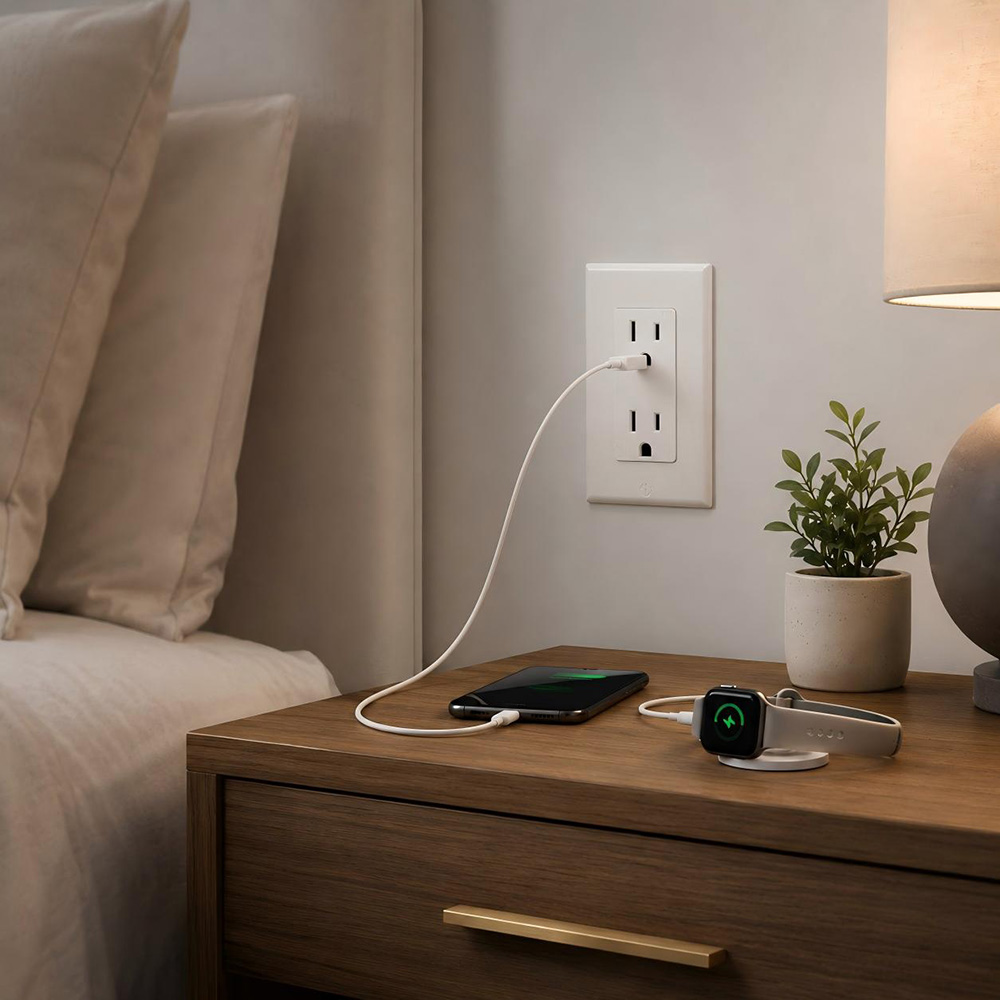
August 22, 2026A USB outlet is an electrical wall receptacle that combines traditional AC power sockets with one or more built-in USB charging ports. Instead of plugging a phone charger, tablet adapter, or other USB power brick into a standard receptacle, users can connect a USB cable directly to the outlet.
The result is a cleaner, more convenient charging point for homes, offices, hotels, schools, retail spaces, and many other environments.
Modern USB outlets are available with USB-A ports, USB-C ports, or a combination of both. Depending on the design, they may support basic 5 V charging or faster charging technologies that negotiate a higher power level with compatible devices.
Because the power conversion electronics are built into the receptacle, a well-designed USB outlet can reduce adapter clutter while keeping standard AC outlets available for appliances and other equipment.
How Does a USB Outlet Work?
Inside a USB outlet is a compact AC-to-DC power supply. The building wiring provides standard AC input to the receptacle, while an internal conversion circuit supplies regulated low-voltage DC output to the USB ports. When a cable is connected, the outlet and the device determine the appropriate charging conditions according to the port design and supported charging protocol.
The AC receptacle portion functions much like a conventional wall outlet. The USB section is separate electrically on the low-voltage side, although both are housed in the same device.
Better products also include protection features such as overcurrent, overvoltage, short-circuit, and thermal protection. These features are especially important because the USB electronics remain connected to line power even when no cable is plugged in.
Main Types of USB Outlets
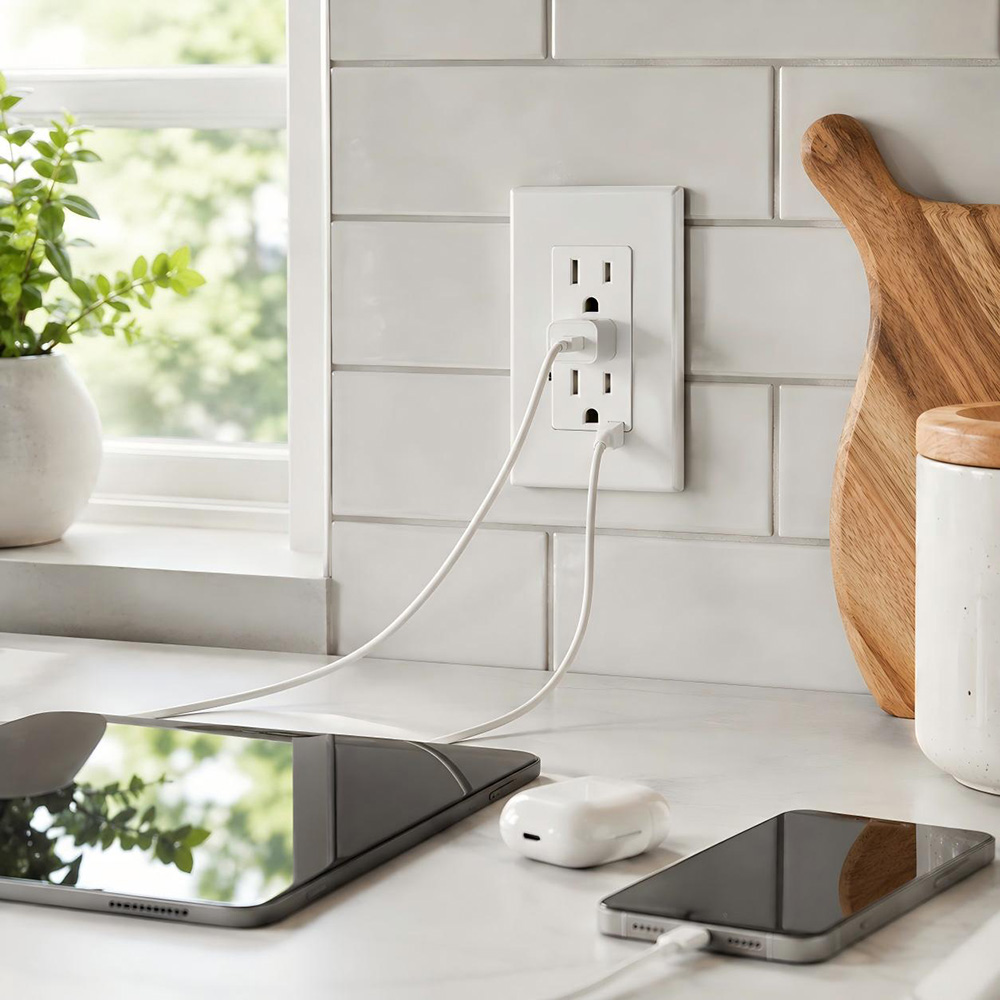
USB outlets are not all the same. The most common configurations include the following:
USB-A Wall Outlets
USB-A is the familiar rectangular connector used by many charging cables and accessories. A USB-A outlet is a practical choice when compatibility with older phones, tablets, speakers, power banks, and peripheral devices is important. However, USB-A generally offers less future-proofing than USB-C and may provide lower maximum charging power depending on the model.
USB-C Wall Outlets
USB-C has become the preferred connector for many newer smartphones, tablets, laptops, earbuds, and accessories. Its reversible plug is easier to use, and compatible USB-C charging systems can deliver significantly more power. When the outlet supports USB Power Delivery (USB PD), the source and device can negotiate the voltage and current needed for efficient charging.
Combination USB-A + USB-C Outlets
Combination models include both port types in a single receptacle. They are useful in hotels, offices, shared workspaces, and homes where users may have a mix of older and newer cables. The main selection point is total shared output: on some products, maximum charging power is divided between ports when more than one device is connected.
Outlets with Standard AC Receptacles
This is the most common format for general electrical installations. One or two AC receptacles are combined with integrated USB ports, allowing users to charge devices without giving up normal plug-in capacity. Depending on the product family and local requirements, versions may also be available with tamper-resistant receptacles or other protective features.
USB-A vs. USB-C Outlet: Quick Comparison
| Feature | USB-A Outlet | USB-C Outlet | A + C Combination |
| Connector | Traditional rectangular USB | Reversible USB-C | Supports both formats |
| Best for | Legacy cables and devices | Newer devices and faster charging | Mixed user environments |
| Charging potential | Basic to moderate, model dependent | Moderate to high, model dependent | Depends on port and shared output |
| Future readiness | Moderate | High | High during transition |
Why Choose a USB Wall Outlet?
USB wall outlets make everyday charging easier by combining standard power receptacles with built-in USB ports. For homes, offices, hotels, schools, and other shared spaces, they provide a cleaner and more practical way to keep devices powered.
More Convenient Charging
Users can plug compatible phones, tablets, and other devices directly into the wall without relying on separate charging adapters. Installing outlets near beds, desks, counters, conference tables, or reception areas puts charging where people naturally need it.
More Usable AC Receptacles
Because USB devices no longer need to occupy a standard socket with a charger, the AC receptacles remain available for laptops, lamps, appliances, and other equipment. This is especially useful in spaces where outlet capacity is limited.
Cleaner, More Modern Spaces
Built-in USB charging reduces loose adapters and cable clutter, helping create a more organized look in residential and commercial interiors. USB-C models can also support a wider range of newer devices, making them a practical option for modern installations.
For hotels, offices, schools, and other public-facing environments, integrated USB charging also gives guests, employees, and students convenient access to power without requiring them to carry a separate wall charger.
How Much Power Does a USB Outlet Provide?
Charging power is one of the first specifications to look at when comparing USB wall outlets. It is measured in watts (W), but the real charging speed depends on both the outlet and the device connected to it. Lower-output ports are usually enough for phones and small accessories, while higher-power USB-C ports may also support tablets and some laptops.
It is also important not to assume that every USB-C outlet delivers the same level of power. Check the rated wattage, supported voltage and current, and whether the outlet supports USB Power Delivery (PD).
For models with multiple USB ports, confirm whether the advertised wattage applies to a single port or is shared across all ports. If two devices are connected at once, the available power may be divided between them.
Where Do USB Wall Outlets Make the Most Sense?
USB wall outlets are most useful in places where people regularly charge phones, tablets, and other personal devices. By putting charging directly where it is needed, they can make everyday spaces more convenient and reduce the need for separate adapters.
- Homes: Bedrooms, kitchens, living rooms, home offices, and dedicated charging areas.
- Hotels and hospitality: Guest rooms, bedside locations, lobbies, lounges, and meeting spaces where convenient charging improves the guest experience.
- Offices: Desks, conference rooms, shared workspaces, reception areas, and break rooms.
- Schools and universities: Classrooms, libraries, study spaces, dormitories, and other areas where students use portable electronics throughout the day.
- Retail and service spaces: Waiting areas, customer lounges, counters, and other locations where visitors may need to charge a device.
- Healthcare and public facilities: Waiting rooms, staff areas, and other approved locations where built-in charging can provide added convenience.
The best location for a USB outlet depends on how the space is used. In most cases, it makes sense to install them where people naturally place their devices, such as beside beds, near desks, or around shared seating areas.
Are USB Outlets Safe?
A properly selected and installed USB outlet can be a safe and convenient electrical product. Safety, however, depends on product design, certification, installation quality, and correct application. Buyers should look for products that comply with the electrical standards and certification requirements applicable to the target market.
Important safety considerations include:
- Appropriate product certification or listing for the country and application.
- Tamper-resistant construction where required or preferred, especially in residential settings.
- Overcurrent, overvoltage, short-circuit, and thermal protection for the USB power section.
- Correct wiring, box depth, conductor size, grounding, and installation by qualified personnel.
- Use of the correct outlet type in wet, damp, outdoor, or other special locations. A built-in USB port does not replace required GFCI, weather-resistant, or enclosure protections.
Electrical codes and certification rules differ by market and may change over time. For a commercial project or large-volume purchase, confirm the applicable local requirements before specifying a particular USB receptacle.
How to Choose the Right USB Wall Outlet
Choosing a USB wall outlet involves more than deciding between USB-A and USB-C. For distributors, contractors, OEM customers, and project buyers, the right product also needs to match the electrical system, charging requirements, installation conditions, and target market.
Start with the USB configuration
Choose between USB-A, USB-C, or a combination of both based on the devices users are most likely to charge. Mixed-port designs can be useful in hotels and shared spaces, while newer projects may place more emphasis on USB-C.
Compare charging performance
Look beyond the connector type and check the actual output. Review the rated wattage, supported voltage and current profiles, USB Power Delivery (PD) support, and how power is distributed when multiple devices are connected.
Match the AC receptacle rating
Make sure the receptacle is suitable for the voltage, current, frequency, and plug standard used in the destination market. This is especially important for international sourcing and OEM projects.
Verify certifications and documentation
Check that the product carries the certifications, markings, and test documentation required for the intended market. Compliance requirements should be confirmed before placing a bulk order.
Check installation depth and wall-box space
USB outlets contain charging electronics, so they are often deeper than standard receptacles. Confirm the device dimensions and make sure the wall box provides enough room for both the outlet and wiring.
Consider where the outlet will be used
The ideal configuration can vary by application. Hotels and public spaces may benefit from both USB-A and USB-C, while residential and office projects increasingly favor USB-C for newer devices.
Look at long-term durability
For commercial or high-use installations, consider more than charging speed. Terminal quality, heat management, plug-in durability, and consistent output over time can all affect product reliability.
Before You Buy
For bulk or project purchasing, it is worth confirming the USB configuration, charging output, AC rating, certifications, dimensions, and application requirements together rather than evaluating each specification in isolation. A product that fits the electrical system and installation environment is usually a better choice than one selected on wattage alone.
Can a Standard Outlet Be Replaced with a USB Outlet?
In many installations, a conventional receptacle can be replaced with a USB-equipped model if the electrical rating, wiring configuration, wall box, grounding, and local code requirements are suitable. Because USB outlets are often deeper than standard receptacles, available box volume should be checked before installation.
Installation involves line-voltage wiring and should follow the product instructions and all applicable electrical rules. Commercial projects should also verify that the selected product is approved for the intended occupancy and installation location.
Frequently Asked Questions
Do USB outlets use electricity when nothing is connected?
Yes, the internal electronics may draw a very small amount of standby power. Well-designed modern products are engineered to keep no-load consumption low, but the exact value depends on the model.
Is USB-C always faster than USB-A?
Not automatically. USB-C is capable of higher power, but charging speed depends on the outlet rating, supported charging protocol, cable, and device. Always check the actual wattage and protocol support.
Can a USB outlet charge a laptop?
Some higher-power USB-C outlets can charge compatible laptops, while lower-power models cannot. Confirm the laptop power requirement and the outlet’s USB-C PD output before use.
What happens when two devices are plugged in at once?
It depends on the design. Some outlets provide independent output per port, while others share a fixed total power budget. Shared-power behavior should be clearly stated in the technical specification.
Are USB outlets suitable for hotels and offices?
Yes. They are widely used in hospitality and commercial spaces because they offer convenient charging and reduce dependence on separate adapters. Product durability, compliance, and charging compatibility are important for these applications.
Will a USB outlet become outdated?
Charging standards continue to evolve, but USB-C provides strong compatibility with newer devices. For long-term projects, choosing an outlet with USB-C and an appropriate power rating can improve future readiness.
Conclusion
A USB wall outlet offers a convenient way to charge devices while keeping standard AC receptacles free for other equipment. When choosing a model, consider the connector type, charging output, USB PD support, electrical rating, certifications, installation space, and intended application.
METO offers USB receptacles for residential and commercial applications, with OEM/ODM support for different product, branding, and packaging requirements.
If you are sourcing USB wall outlets for a project, distribution, or private-label program, share your required configuration, charging output, target market, and order quantity with us to find the right solution. Contact our team today.

--- END ---
In this blog
Latest Articles


Newsletter
Never miss an update by signing up to our newsletter.